Styling with CSS
In Fresnel, the code describes what is on a form, and CSS describes how it looks. You do not need to be a CSS expert to use Fresnel. This page explains the basics.
A CSS rule
A stylesheet is a list of rules. A rule has a selector and a list of declarations between curly braces:
label {
  color: blue;
  font-weight: bold;
}
The selector (label) says to which elements the rule applies. The declarations say what the value of a
property is. This rule says: show the text of all labels in blue, bold letters.
Selectors
There are 3 basic selectors, and each one matches something you know from Pascal:
| Selector | Example | Applies to |
|---|---|---|
| Type selector | button | all elements of a type. Every Fresnel class has a CSS type name (see below). |
| Class selector | .toolbar | all elements that have toolbar in their CSSClasses property. |
| ID selector | #Body | the element whose Name property is Body. |
CSSClasses is a list of strings: an element can have as many classes as you want.
Set it in the Object Inspector, or in code with CSSClasses.Add, AddCSSClass and RemoveCSSClass.
Some Fresnel classes and their CSS type names:
| Class | CSS type | Class | CSS type |
|---|---|---|---|
TBody | body | TMemo | textarea |
TDiv | div | TComboBox | combobox |
TSpan | span | TListBox | listbox |
TLabel | label | TPageControl | pagecontrol |
TButton | button | TTabSheet | tabsheet |
TEdit | input | TStatusBar | statusbar |
TCheckBox | input | TStringGrid | grid |
TImage | img | TGroupBox | fieldset |
Selectors can be combined:
label.value: labels with the classvalue;.toolbar button(with a space): all buttons somewhere inside an element with classtoolbar;.row input, .row combobox(with a comma): both.
Pseudo-classes describe the state of an element: button:hover (the mouse is over the button),
input:focus (the edit has the keyboard focus), button:disabled (Enabled is False),
input:invalid (a validator rejected the input). Fresnel keeps these states up to date for you.
The cascade: which rule wins?
When 2 rules set the same property of the same element, the most specific rule wins: an ID selector beats a class selector, and a class selector beats a type selector. When 2 rules are equally specific, the last one wins.
So you can write a general rule for all buttons, and then make exceptions with a class.
Layout with flexbox
Every element is a rectangular box. From the inside out: the content, the padding (space around the content), the border, and the margin (space between this box and its neighbours).
Some elements, like div and body, are placed below each other. Others, like label, span and button,
are placed next to each other, like words in a sentence.
To control this, use flexbox: display: flex turns an element into a flex container,
and its children are placed in a row or in a column.
| Property | Set on | Meaning |
|---|---|---|
flex-direction | container | row: children next to each other. column: below each other. |
gap | container | space between the children |
align-items | container | alignment in the other direction, for example center |
justify-content | container | where the children go in the main direction, for example flex-end |
flex | child | 1 1 auto: grow to fill the free space. 0 0 auto: keep your natural size. |
With these few properties you can do almost everything you used to do with Align and Anchors in the LCL.
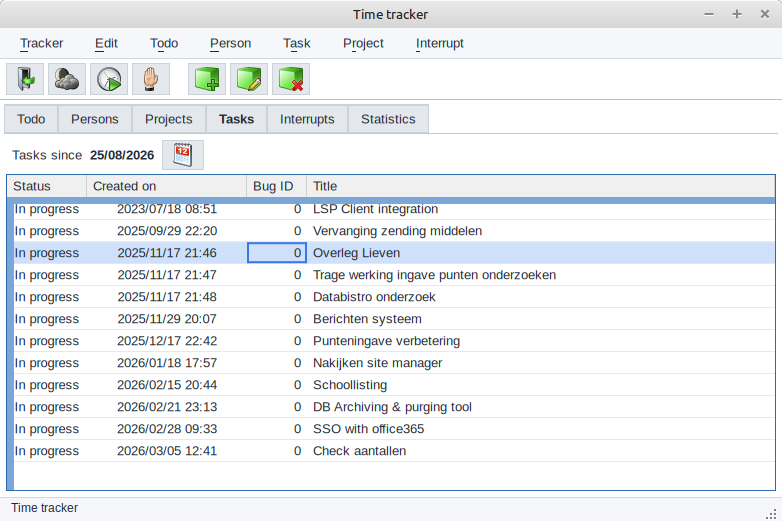
This is the main window of the time tracker, a real Fresnel application:
body     { display: flex; flex-direction: column; height: 100vh; }
.toolbar { display: flex; flex-direction: row; align-items: center; gap: 4px; flex: 0 0 auto; }
pagecontrol { flex: 1 1 auto; min-height: 0; }
statusbar   { flex: 0 0 auto; }
The body is a column that fills the window (100vh means 100% of the window height).
The toolbar and the status bar keep their height, and the page control takes all the remaining space.
In the LCL, you would set Align to alTop, alBottom and alClient.
Fresnel also supports CSS grid and absolute positioning, but for most forms flexbox is all you need. Try the flexbox and grid demos on Try it live to get a feeling for them.
Where does the CSS come from?
Fresnel combines CSS from several places. From the least important to the most important:
The default CSS of each element type
Built into Fresnel: a div is a block, a span is placed inline, and so on.
The built-in theme
The colors of all controls, in a light and a dark variant. It is compiled into every Fresnel program, so a program without any CSS still looks good.
The application stylesheet
A CSS file next to your program, with the same name as the executable: for timetrack, the files are
timetrack.css and, for dark mode, timetrack_dark.css. You can change the look of a program without
recompiling it. You can also choose the file in code with Application.ThemeFile.
The stylesheet of the form
The Stylesheet property of a form, or the .css file that Lazarus creates for each form.
This is the place for the layout of the form.
The inline style of an element
The Style property of one element: Label1.Style:='color: red';.
Useful to try something out, but not for a whole application.
A simple guideline:
- Leave the colors to the theme, or put them in the application stylesheet. Then dark mode keeps working.
- Put the layout of a form in the stylesheet of that form.
- Give elements a role with CSS classes (
toolbar,row,caption), and write rules for the roles. - Use the
Styleproperty only for quick experiments.
Light and dark mode
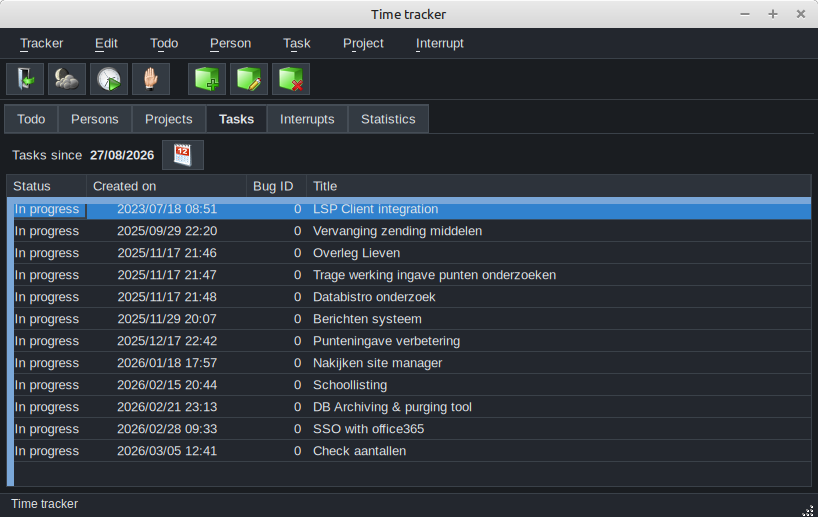
The built-in theme has a light and a dark variant. One line of code chooses:
Application.ColorScheme:=fcsDark; // or fcsLight, or fcsAuto: follow the operating systemAll open forms are redrawn immediately. Your own CSS can react to it, as a web page does:
.toolbar { border-bottom: 1px solid #c0c0c0; }
@media (prefers-color-scheme: dark) {
  .toolbar { border-bottom-color: #3a3f45; }
}
Application.ColorScheme:=fcsDark.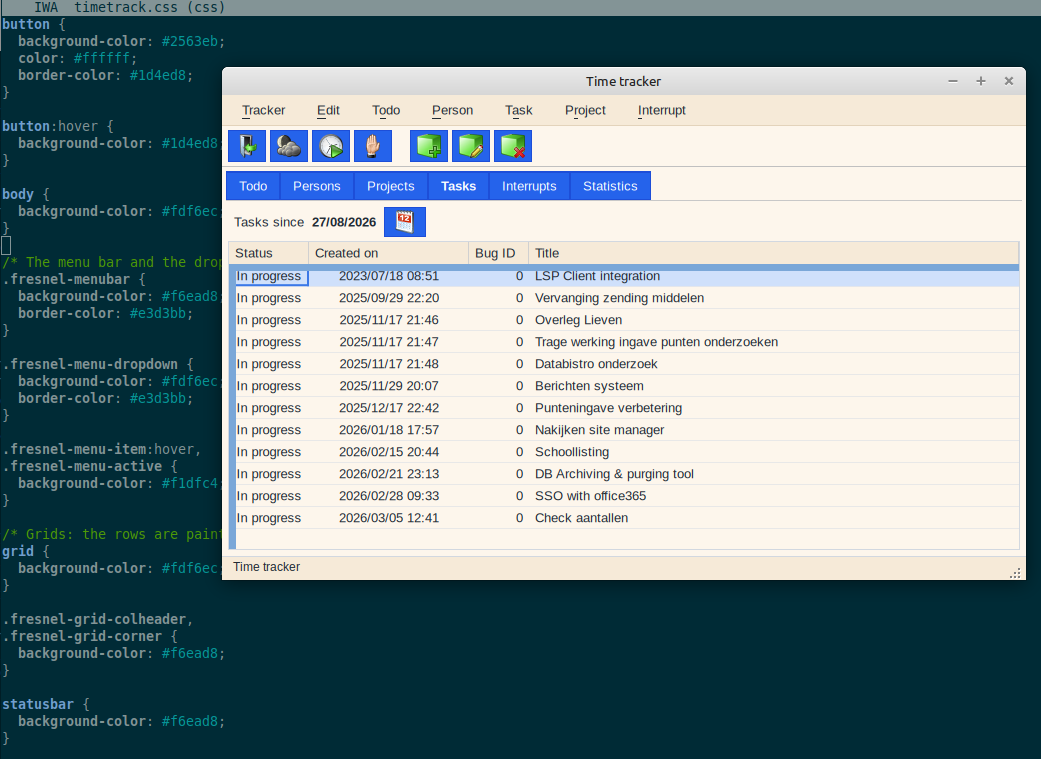
Why does it look like that? The CSS inspector
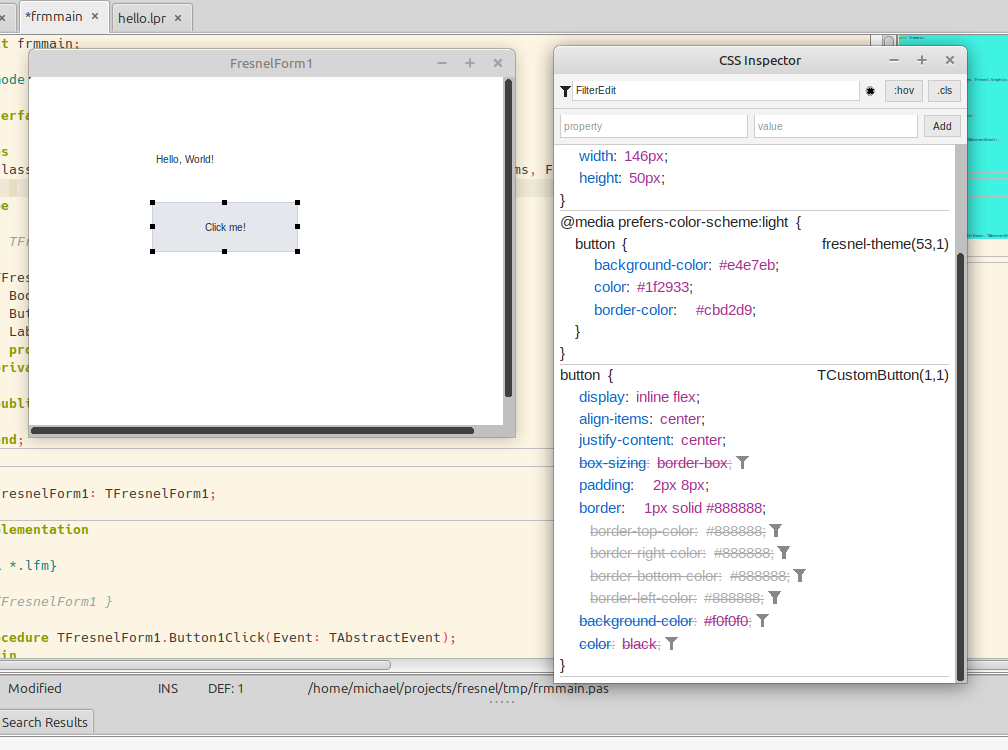
When you start with CSS, you will ask: which rule set this color? Why is this box so wide? Web developers use the developer tools of their browser for this. Fresnel has the same tools:
- In Lazarus, View - Fresnel CSS Inspector shows all CSS rules for the selected element, in the order of the cascade. Rules that are overruled are struck through. You can change values and see the result immediately.
- The inspector is a normal Fresnel control,
TCSSStyleInspector, so you can put it in your own program.TLayoutInspectorshows the content, padding, border and margin of an element.
Which CSS is supported?
A large part of CSS works: type, class, ID and attribute selectors; the combinators (space, >, +, ~);
pseudo-classes such as :hover, :focus, :not(), :is(), :where() and :nth-child(); !important;
units such as px, %, em, rem, pt, vw, vh and fr; custom properties (--name and var());
@media queries; flow, flexbox and grid layout; transitions and animations.
Not supported yet: :has(), ::before and ::after, calc() and attr().
The docs folder of the Fresnel sources has the complete, up-to-date list.